Quality & Acceptance
Chapter 10 — Security Configuration Verification, Testing, and Acceptance Criteria
Quality assurance for router security configurations requires a structured acceptance process that verifies every security control is correctly implemented, functioning as intended, and documented before the device is placed into production service. This chapter defines the complete acceptance testing framework, including configuration verification, functional security testing, performance validation, and documentation requirements. The quality comparison image below illustrates the stark difference between a non-compliant configuration and a properly hardened, accepted deployment.
10.1 Security Configuration Quality Comparison
The visual comparison below contrasts the two possible outcomes of a router deployment: a non-compliant configuration characterized by disorganized cabling, active security alerts, and an unprepared operator, versus a security-hardened configuration with organized infrastructure, clean security dashboards, and a confident engineer following documented procedures. The difference is not merely aesthetic — it represents fundamentally different security postures with dramatically different risk profiles.
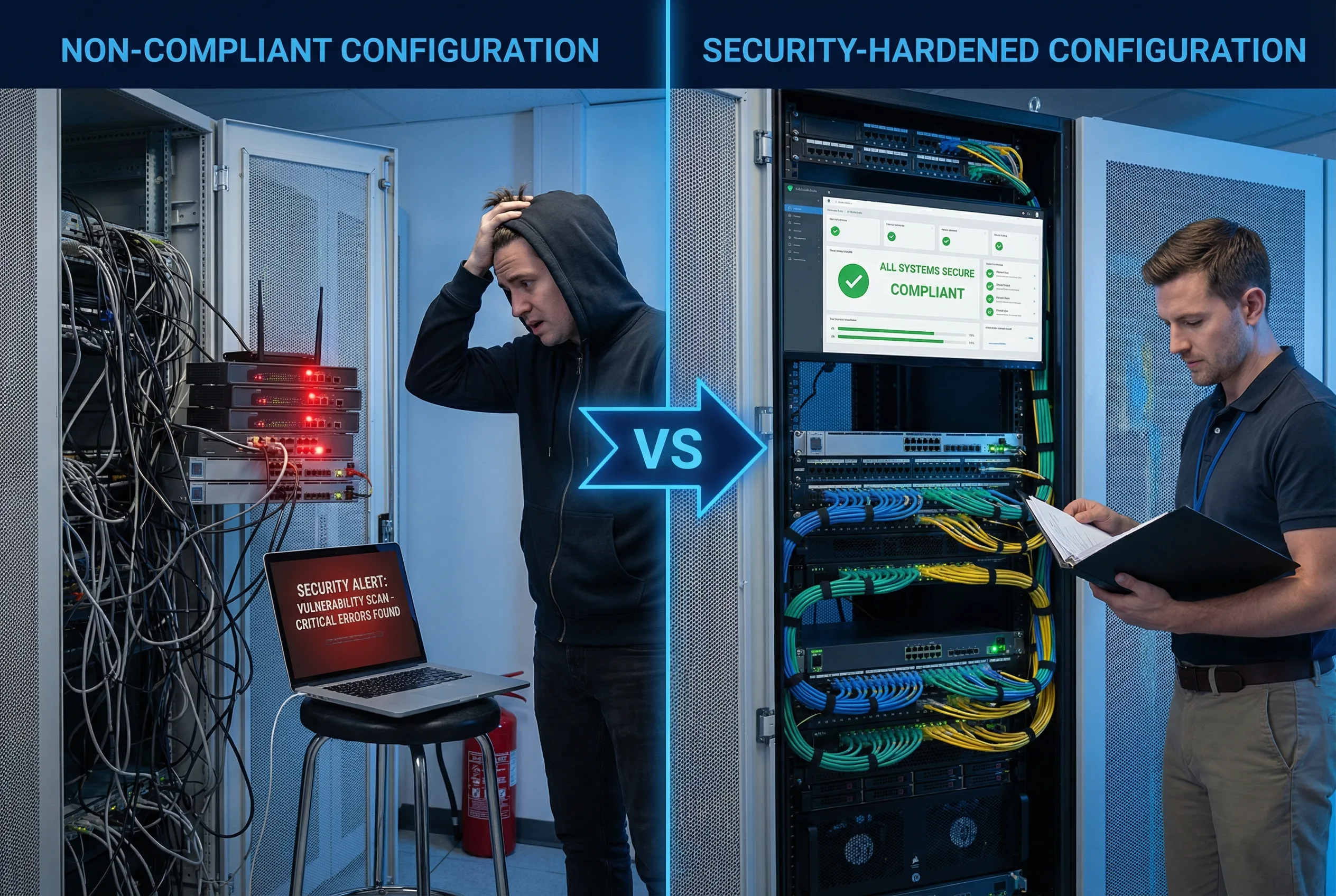
| Quality Dimension | Non-Compliant Configuration | Security-Hardened Configuration | Impact of Difference |
|---|---|---|---|
| Physical Security | Unsecured rack, tangled cables, no port blockers | Locked rack, organized color-coded cables, port blockers installed | Physical access attacks, accidental disconnection risk |
| Management Access | Telnet enabled, default credentials, no AAA | SSH v2 only, AAA with TACACS+, MFA via jump host | Credential theft, unauthorized access, no audit trail |
| Routing Security | No BGP authentication, no max-prefix limits, no RPKI | TCP-AO authentication, max-prefix limits, RPKI enabled | BGP hijacking, route injection, prefix leaks |
| Control Plane | No CoPP, no rate limiting, CPU vulnerable to floods | CoPP policy active, per-class rate limits, CPU protected | CPU exhaustion, control plane DoS, routing instability |
| Logging | Local logging only, no timestamps, no remote syslog | Remote syslog, NTP-synchronized timestamps, SIEM integration | No forensic capability, compliance failures, undetected breaches |
| Documentation | No change records, no baseline config, no acceptance test | Full change records, signed baseline, completed acceptance test | Inability to detect unauthorized changes, no recovery baseline |
10.2 Acceptance Testing Framework
The acceptance testing framework is organized into five test phases, each targeting a specific security domain. All tests must be executed in the order listed, as later tests depend on the correct functioning of earlier ones. Each test must be documented with the test result, the tester's name, and the date. Any failed test must be remediated and retested before proceeding to the next phase.
| Phase | Test Domain | Test Method | Pass Criteria | Blocking |
|---|---|---|---|---|
| Phase 1 | Configuration Baseline Verification | Automated config diff against approved baseline template; manual review of security-critical sections | Zero deviations from baseline template; all security controls present | Yes — must pass before Phase 2 |
| Phase 2 | Management Plane Security Test | Attempt Telnet connection (must fail); SSH v2 login test; AAA authentication test; SNMP v1/v2c test (must fail) | Telnet rejected; SSH v2 succeeds; AAA authenticates; SNMP v1/v2c rejected | Yes — must pass before Phase 3 |
| Phase 3 | Routing Security Test | BGP session establishment with and without authentication; max-prefix limit test; unauthenticated OSPF adjacency test (must fail) | Authenticated BGP sessions only; max-prefix triggers at configured threshold; unauthenticated OSPF rejected | Yes — must pass before Phase 4 |
| Phase 4 | Control Plane Protection Test | ICMP flood test (measure CPU impact); BGP keepalive flood test; CoPP statistics verification | CPU remains below 70% during flood tests; CoPP drops visible in statistics; routing sessions stable | Yes — must pass before Phase 5 |
| Phase 5 | Logging and Monitoring Test | Generate test login events; verify syslog receipt at remote server; verify NTP synchronization; verify SNMP trap delivery | All test events appear in remote syslog within 30 seconds; NTP synchronized to stratum ≤2; SNMP traps delivered | Yes — must pass for acceptance sign-off |
10.3 Configuration Baseline Verification Checklist
The baseline verification checklist provides a line-by-line verification of all security-critical configuration elements. Each item must be verified against the running configuration using the specified show command. Items are categorized by priority: Critical items must pass for any production deployment; High items should pass for all deployments; Medium items are recommended best practices.
| Section | Verification Item | Priority | Verification Command | Expected Result |
|---|---|---|---|---|
| Management Plane | Telnet disabled on all VTY lines | Critical | show run | section line vty |
transport input ssh only |
| SSH version 2 only | Critical | show ip ssh |
SSH Enabled - version 2.0 | |
| AAA authentication active | Critical | show aaa method-lists |
TACACS+ primary, local fallback | |
| SNMP v1/v2c disabled | Critical | show run | include snmp-server community |
No output (no community strings) | |
| Routing Security | BGP authentication on all eBGP peers | Critical | show bgp neighbors | include password |
MD5 or TCP-AO configured on all peers |
| BGP max-prefix limits configured | High | show bgp neighbors | include Maximum |
Maximum prefix limit configured per peer | |
| uRPF on all external interfaces | High | show cef interface | include verify |
IP verify unicast source reachable-via rx | |
| Control Plane | CoPP policy attached | Critical | show policy-map control-plane |
Policy-map attached to control-plane |
| CoPP statistics incrementing | High | show policy-map control-plane | include packets |
Packet counts incrementing for expected classes | |
| Logging | Remote syslog configured | Critical | show logging | include Logging to |
Remote syslog host active |
| NTP synchronized | High | show ntp status |
Clock is synchronized, stratum ≤2 |
10.4 Acceptance Sign-Off Requirements
The acceptance sign-off process formalizes the transfer of the router from the deployment team to the operations team. All five test phases must be completed and documented before sign-off can be granted. The sign-off document must be stored in the CMDB and linked to the device's asset record. Any deviations from the standard configuration must be documented with a risk acceptance statement signed by the appropriate authority.
| Sign-Off Requirement | Responsible Party | Documentation Required | Retention Period |
|---|---|---|---|
| All 5 test phases completed and passed | Deployment Engineer | Completed test checklist with results, tester name, and date | Life of device + 2 years |
| Baseline configuration archived | Deployment Engineer | Encrypted config backup stored in config management system | Life of device + 2 years |
| Asset registered in CMDB | Deployment Engineer | CMDB record with serial number, software version, location, and owner | Life of device + 2 years |
| Operations team handover | Deployment Engineer + Operations Lead | Signed handover document; operations team confirms receipt and readiness | Life of device + 2 years |
| Security team review (for internet-facing devices) | Security Engineer | Security review sign-off; any exceptions documented with risk acceptance | Life of device + 2 years |